iPhone and Android · Bluetooth air mouse
Point your phone.
The pointer follows.
AirMouse turns your iPhone or Android phone into a Bluetooth mouse, keyboard and remote for Macs, Windows PCs and iPads. An Android phone also pairs straight with Android TV and Google TV; an iPhone needs a small app on the TV.
iPhone: coming soon to the App Store.
Android: coming soon to Google Play. Join the beta
Works with
- Mac
- Windows PC
- iPad
- Android TV
- Google TV
- Fire TV
How it works
No receiver, no drivers. Just the phone in your hand.
-
01
Pair it like any mouse
AirMouse shows up as a standard Bluetooth mouse and keyboard. Macs, Windows PCs and iPads need nothing installed.
-
02
Aim with the top edge
Turn the phone left and right, tilt it up and down. It works however the phone sits in your hand.
-
03
Tap to click, hold to drag
Live mode follows the phone. Static moves the pointer only while you hold the pad.
The remote
Built for one thumb, tuned for a steady hand.
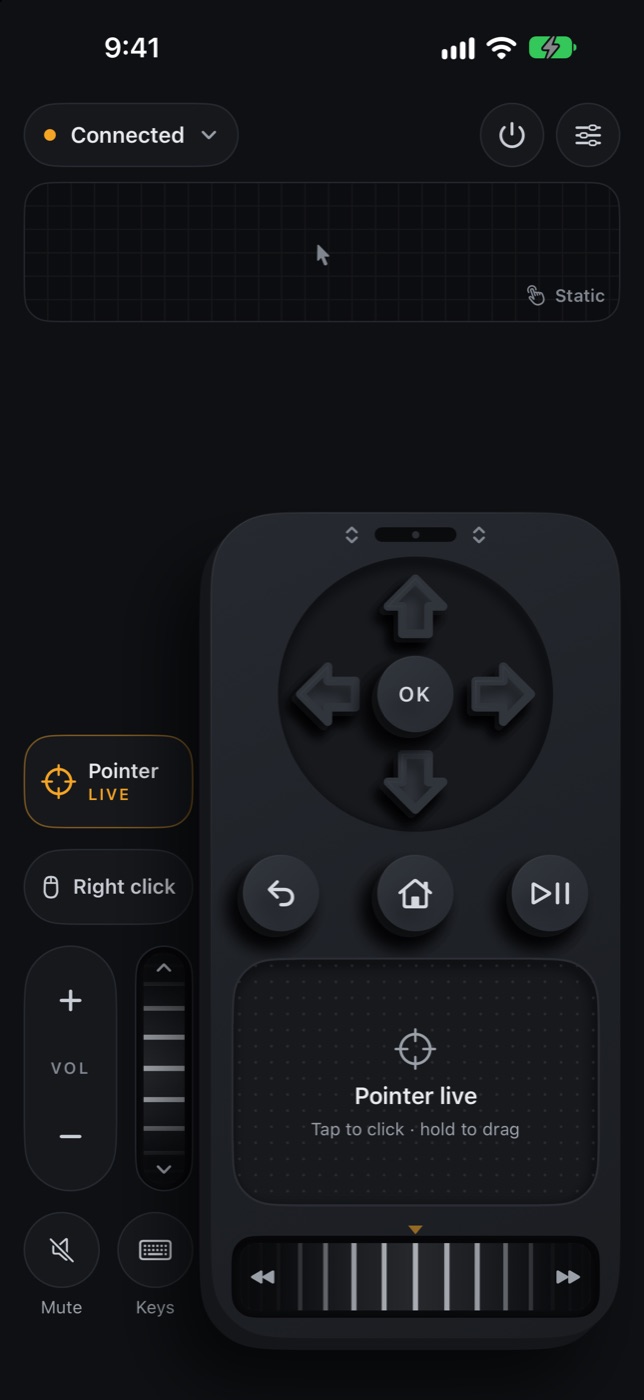
Steady Pointer
Damps slow motion to hide hand tremor. Quick flicks travel up to twice as far.
Clicks land where you aim
The pointer holds still for a tenth of a second after every press.
Keyboard and media keys
Type, use the arrow keys, play and pause, change the volume and scrub, all from the remote.
Moves to your thumb
Drag the strip at the top of the remote up or down. It stays where you put it, on either hand’s side.
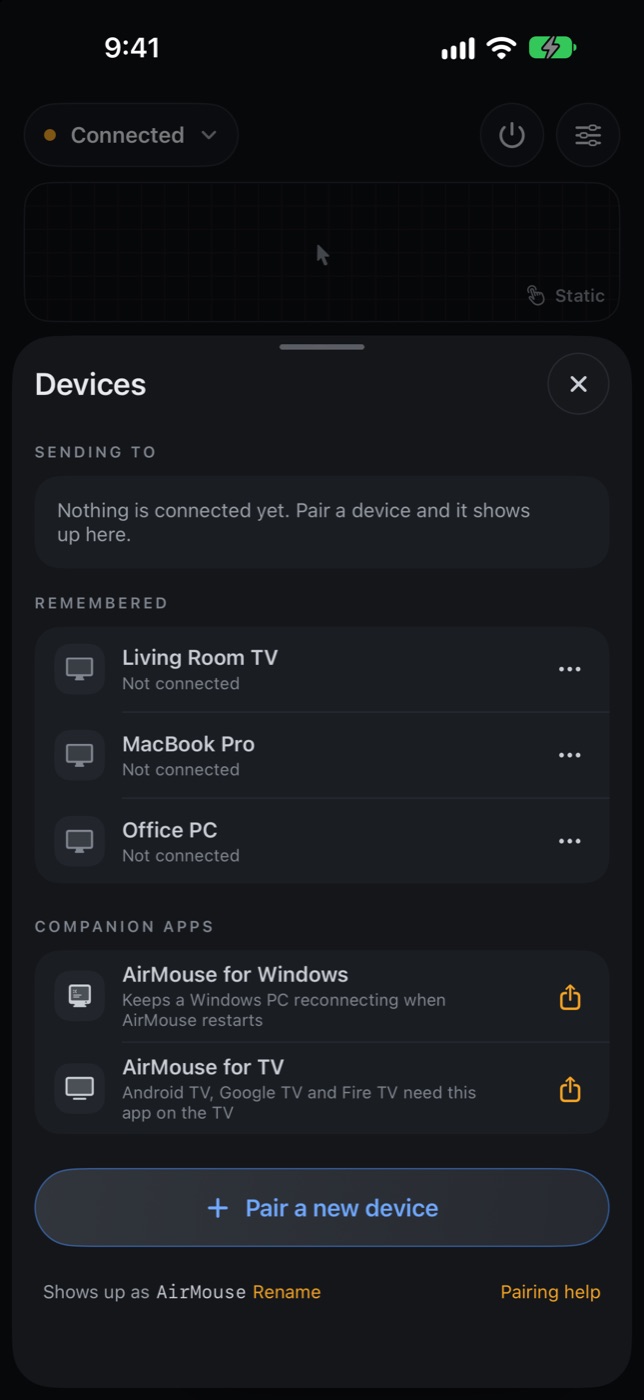
One tap between hosts
Switch between your Mac, PC and TV from Devices. Hosts you’ve used stay listed.
Live or Static, per device
Switch from the remote, Settings or the Action button. AirMouse remembers your choice for each device.
Works with
Whatever’s on the other side of the room.
Using an Android phone? It pairs with a Mac, Windows PC, Chromebook, Android TV or Google TV like any Bluetooth mouse and keyboard. Pick it in the other device’s Bluetooth settings, or pair from Devices in AirMouse. The two companion apps below are for iPhones.
Mac
Pair from Bluetooth settings. It reconnects on its own after the app restarts.
iPad
Pair from Bluetooth settings, like any mouse and keyboard.
Windows PC
Companion appFor iPhone. Windows drops the mouse when the AirMouse app restarts. AirMouse for Windows pairs your iPhone and brings the mouse back by itself.
AirMouse for WindowsAndroid TV, Google TV, Fire TV
Companion appFor iPhone. These TVs won’t pair with an iPhone as a mouse. A small app on the TV turns your iPhone into a pointer remote anyway.
AirMouse for TV
Pick up your phone. Point.
Coming soon to the App Store for iPhone and iPad, and to Google Play for Android phones.